How to Publish Your First Game on Steam Without Writing Code
AI can write the code while you design, test, and ship your game.
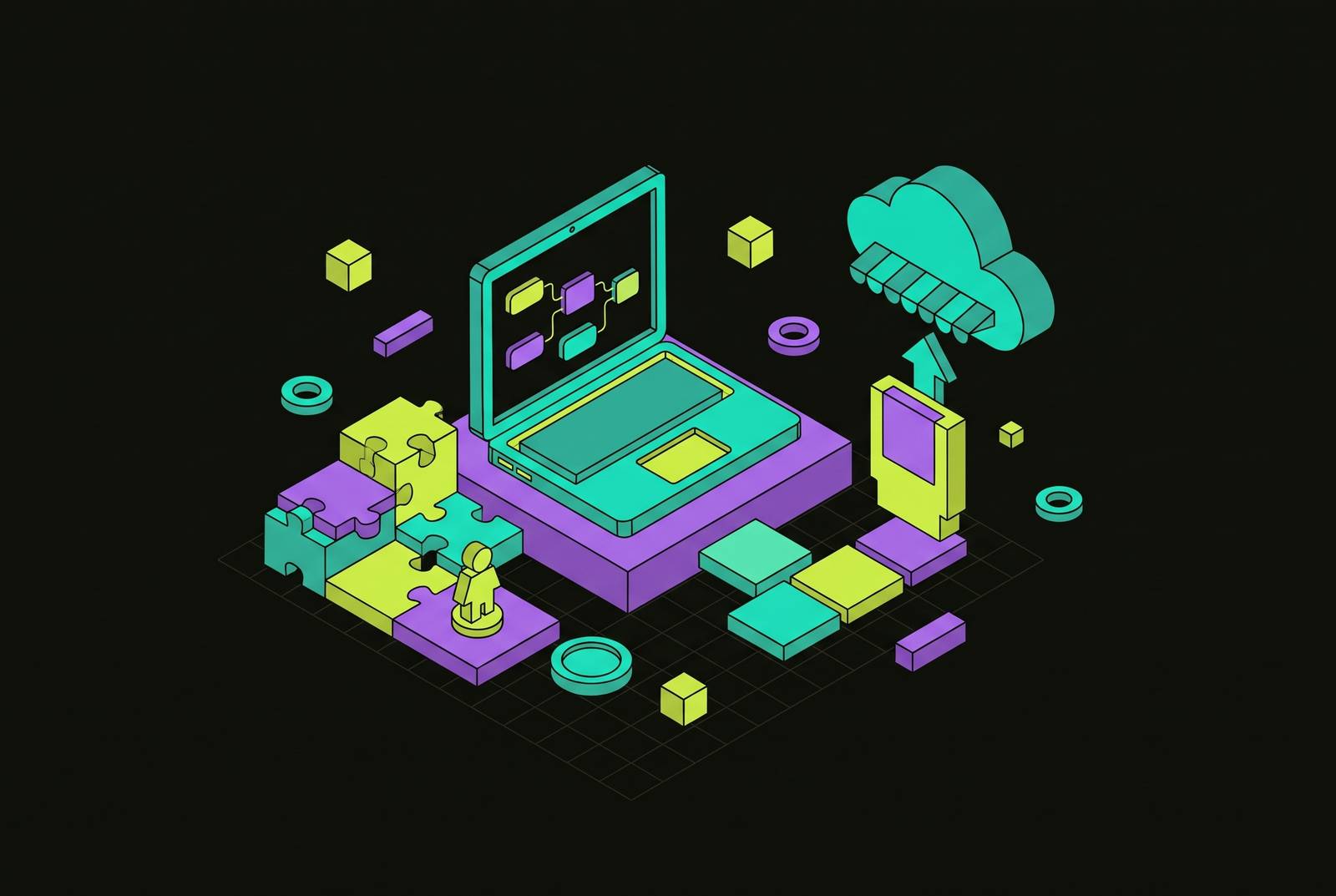
Publishing your first game on Steam without writing code is a repeatable process when an engine-backed AI tool produces a native desktop build you have the right to sell. The AI writes the code, while you guide the design, test each mechanic, and get the game ready for release. The practical path is to build narrowly, validate on itch.io, and treat Steam’s submission and pre-launch requirements as part of production.
Why non-technical creators can now realistically publish on Steam
The structural change is that AI can write and edit real game code beneath a plain-language interface. Some no-code tools act as a wall, limiting behavior to what their authors anticipated. Engine-backed AI works as a layer over a working project. Its output is standard, exportable project files. For the Steam workflow described here, that distinction is decisive because the release needs a native desktop executable.
You decide what the player can do, evaluate the result, and request changes until the behavior matches the design. The AI supplies implementation. Your role is director, with responsibility for rules, pacing, and whether the game feels worth playing.
Choosing a tool that can actually reach Steam
First, establish whether its interface restricts what the project can become or whether real code remains underneath. Second, check whether you can export and sell the result, including the ownership and commercial terms. Free to make is not free to sell. Third, establish whether it supports the intended game, including 2D, full 3D, or multiplayer, and whether it can produce the required desktop build.
For a non-programmer pursuing this workflow, engine-backed AI is the appropriate category. It can write scripts, connect physics, build the scene tree, and check the game as it runs to fix mistakes. Those capabilities connect a request in plain language to a project that can keep developing. A browser-only generator cannot supply the desktop output this process requires. A visual event editor takes care of syntax, but the creator still has to put the programming logic together.
A convincing prototype does not establish commercial export rights or support for the intended game. The license also needs to say clearly who owns the game and whether there is a revenue share. The available facts do not establish a named vendor that satisfies every criterion, including no revenue share. The defensible choice is a tool whose project format, native export, ownership terms, and supported game shape all match the release.
Building a shippable game one piece at a time
Write down the game in three lines before you build it. State what the player does repeatedly, how the player wins, and how a round ends. For the first release, cut anything outside that definition. This scope boundary gives the AI a narrower assignment and gives you a concrete basis for accepting or rejecting additions. Without it, every working feature can become an invitation to expand the game.
Within that boundary, work one mechanic at a time. Ask for a player character with movement and gravity. Then run the game before adding anything else. Check that the basic movement works before asking for platforms and level geometry. Test traversal across that geometry rather than assuming the new environment preserves the earlier behavior. Each addition should leave you with a playable result.
Once traversal works, add a hazard that restarts the round on contact. Test the consequence, then introduce a collectible and a win condition. This establishes the core loop before decoration obscures it. Only then add particle effects, sound, and a background, describing each addition in a single prompt. The rhythm remains constant throughout production, adding one piece, running the game, confirming the result, and moving on.
An illustrative first-build schedule allocates two days each to concept and tool setup, AI asset drafts, visual logic and interactions, level design and UI, and testing and launch preparation. The AI may write the code, but you still judge the rules, pacing, and feedback at every stage. The same incremental rhythm applies beyond platformers because it keeps problems locatable and changes reversible in any genre.
Generating the art, audio, and dialogue your game needs
Generate what the current playable version needs, then evaluate it in the game. Scenario uses style-trained custom models to make game art from an existing art library, including characters, environments, and UI. Its useful distinction is a locked visual style. With the same style, assets made separately look like parts of one game.
For 3D work, generative workflows can take a text prompt to a textured, rigged, animation-ready asset in under an hour. That does not make every output engine-ready. Raw meshes can arrive with high polygon counts and dense topology that look acceptable in preview but still require manual retopology or decimation before import. This is a meaningful qualification for a non-technical creator.
ElevenLabs provides voice generation and is increasingly used for sound effects, while AI generation also covers music and dialogue for a first game. Treat these as production inputs. For visual consistency, generate art in batches from a locked style prompt and touch up outputs in an image editor before importing them. Before using any generated asset in a game you sell, check the tool’s licensing terms, including any limits on free-tier output. A usable download is not proof of permission to sell it.
What Steam actually requires before you can publish
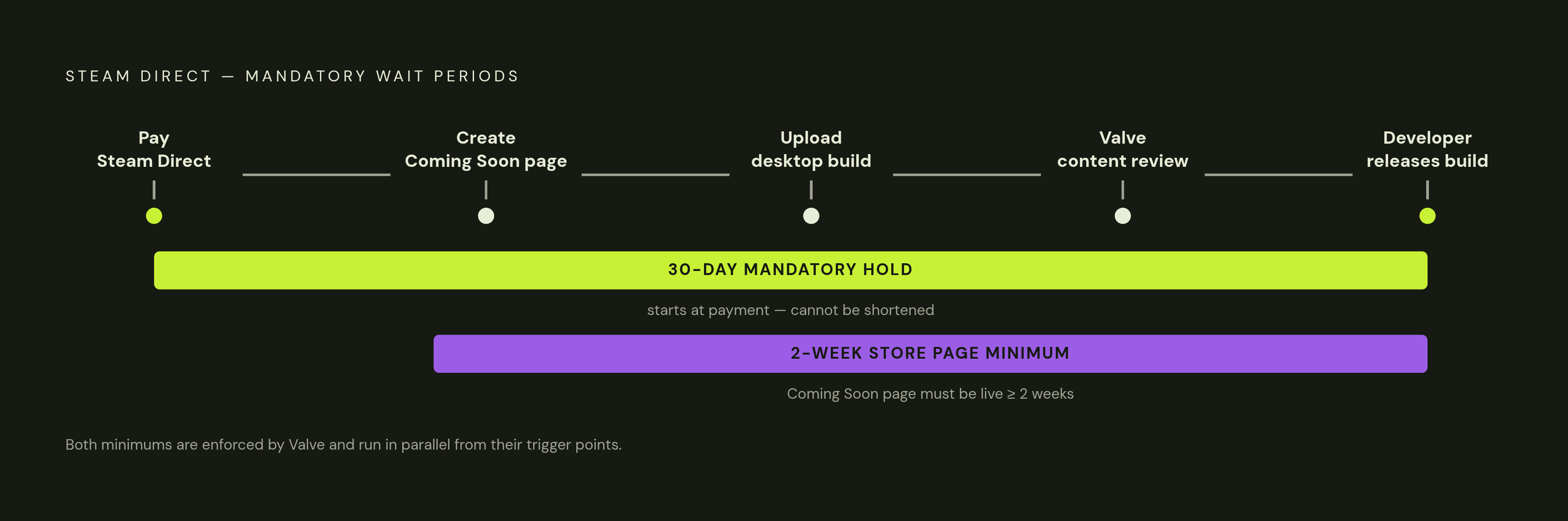
To release a game on Steam, you first join Steamworks, Valve’s developer program, and pay the Steam Direct fee for each game. The mandatory fee becomes recoupable after the game reaches a qualifying threshold in adjusted gross revenue. Next, create the store page and publish it as Coming Soon. That page must remain live for at least two weeks before release.
A separate 30-day holding period begins when the fee is paid. Valve enforces it, and it cannot be shortened. After the required preparation and waiting period, upload a working native desktop build for Windows, macOS, or Linux. The game must pass Valve’s content review before you can release the approved build yourself. Approval and release are separate steps in the workflow.
The store page requires capsule art at 1232×706 px, a gameplay trailer, a short description within a strict character limit, a capped number of tags, and a completed content survey. Valve requires the survey to state accurately what pre-generated or live-generated AI content is in the game. Developers also remain responsible for the legality of the content and for avoiding infringement of another person’s rights. Using AI makes the disclosure requirement directly relevant.
The two-week Coming Soon requirement is a minimum. Games with pages live for several months are among the strongest wishlist-to-sales converters, while periods well over a year correlate with lower conversion as interest fades. Wishlists are not a general driver of Steam’s algorithmic visibility, apart from limited exceptions such as Popular Upcoming. Purchases, playtime, and tags are the primary drivers described here. The pre-launch page nevertheless provides the main place to accumulate wishlists before release.
Using itch.io to validate the game before the Steam clock starts
Before paying the Steam Direct fee, release the game on itch.io to test it with people who did not build it. The platform requires no fee and no review period, so a finished build can go live the same day. This makes it a deliberate validation stage rather than a lesser destination. It separates “the game runs” from “players understand and enjoy it.”
Player feedback exposes confusion, unclear controls, weak feedback, and bugs outside your own testing conditions. It also shows whether the core loop works without an explanation from its creator. Use those findings to fix the most important clarity and fun blockers. The same reactions can improve the eventual store page by identifying striking screenshot moments, effective description hooks, and tags that reflect how people actually experience the game. Testing therefore improves both the product and its presentation.
Game jams offer a deadline and a built-in audience for this intermediate release. Relevant AI-focused jams in 2026 include Slapjam AI on September 28–30, a 48-hour jam requiring a mobile-portrait web build, and Ultimate AI-Powered Game Jam #5 and #7, 72-hour speedruns hosted by michyo on itch.io. Their build requirements remain distinct from Steam’s desktop requirement. Jam preparation typically permits prompt pipelines, raw base assets, and boilerplate frameworks before the window opens. Actual assembly, logic integration, and final polish belong within the jam window.
Turning the Steam Coming Soon page into a wishlist engine
The Coming Soon window is productive release time. Its capsule art, trailer, and screenshots should reflect the moments that attracted real players on itch.io. The short description should explain what those players understood and liked about the game. This gives the page a concrete basis for asking someone to wishlist the game. It also connects validation directly to the public release materials.
Share the page where the people the game is for already spend time, including communities for its genre, social platforms they use, and newsletters they read. Post development updates showing new features, asset previews, or behind-the-scenes work so interested players have a reason to return. Collect and answer feedback in the game’s Steam discussion section before launch. These are specific uses of the pre-release window. They should not be treated as a promise of automatic algorithmic promotion.
Plan for Steam Next Fest if the demo will be ready in time for the event. Valve’s recurring multi-day event lets upcoming games publish playable demos and optionally run developer livestreams, and it is the largest pre-launch wishlist opportunity described in this process. The same AI tools used during production can help create marketing art, trailer voiceover, and update copy under the commercial permissions already checked. Allowing more than the mandatory waiting periods gives those materials and activities time to work.
The complete action plan: from first prompt to live Steam listing
Start with the three-line game definition, then choose an engine-backed AI tool by checking its limits, export rights, and game shape. Keep version one within that definition. Build the player, environment, hazard, and goal in order, testing each addition before adding polish. To produce a candidate for player testing, generate the required art, audio, music, and dialogue in a consistent style, with commercial permissions established before release.
Publish that candidate on itch.io and address the strongest clarity and fun blockers before paying the Steam Direct fee. Then join Steamworks and begin the mandatory 30-day wait. Prepare the Coming Soon page with capsule art, a trailer, five screenshots, the short description, tags, and the content survey with accurate AI disclosure. Publish it at least two weeks before the intended release, while aiming for a longer wishlist-building period. Pursue Next Fest if a playable demo and the event schedule align.
Complete the native desktop upload and content review, then release the approved game and continue updating it from player feedback. Scope creep and underestimated lead time are the two recurring points of failure this sequence addresses. The three-line definition controls the former, while starting the Steamworks application earlier than feels necessary addresses the latter. No coding experience is required to begin, but each stage still needs a creator’s decision. Release readiness comes from completing those decisions in order.